The Step-by-Step Guide to WhatsApp Marketing Campaigns for Ecommerce
Learn how to set up and run WhatsApp marketing campaigns for ecommerce. From API setup to cart recovery automations, this guide covers everything you need.
Learn how to set up and run WhatsApp marketing campaigns for ecommerce. From API setup to cart recovery automations, this guide covers everything you need.
Your customer is already on WhatsApp.
They've checked it twice since they landed on your product page. But when they have a question, they're filling out a contact form or waiting on a chatbot that loops them back to the FAQ.
That gap is where sales die. And it's entirely fixable.
The brands closing it have stopped using WhatsApp as a support inbox and started using it as a channel where purchases actually happen. This guide covers everything it takes to do the same: from choosing the right setup to building a list, running campaigns, and measuring revenue attributed to the channel.
A WhatsApp marketing campaign is a merchant-initiated message sent to opted-in customers to drive sales, engagement, or retention. Setting up a campaign involves securing a verified WhatsApp Business API account, gathering customer opt-ins, creating message templates approved by Meta, and integrating with your ecommerce platform.
The key distinction here: promotional messages differ from transactional messages. Order confirmations and shipping updates are transactional, meaning they can be sent without marketing consent. Promotional messages (flash sales, product launches, discount codes) require explicit opt-in from customers before sending.
WhatsApp messages land in the same app customers use to chat with friends. That context matters. Messages feel personal rather than promotional, which translates to engagement rates that email simply cannot match.
Direct delivery: No algorithm decides whether your message appears. It goes straight to the customer's phone.
Rich media support: Product images, videos, buttons, and direct links create an experience closer to browsing a store than reading an email.
Two-way conversations: Customers can ask questions and get answers instantly, removing the friction that typically causes cart abandonment.
Before setting up any campaign, there's a fundamental choice between two tools. The right option depends on store size and growth plans.
The WhatsApp Business App is a free tool designed for small businesses. It allows broadcast lists of up to 256 contacts, manual message sending, and basic automation like away messages and quick replies.
For stores testing WhatsApp as a channel, it works as a starting point. However, the manual nature of sending and the contact limits make it impractical for scaling beyond a few hundred customers.
The WhatsApp Business API enables sending thousands of messages with full automation, ecommerce platform integrations, and detailed analytics. It requires approval from Meta and typically involves working with a Business Solution Provider (BSP), which is a company authorized by Meta to provide API access.
Feature | WhatsApp Business App | WhatsApp Business API |
|---|---|---|
Broadcast limit | 256 contacts | Unlimited (tier-based) |
Automation | Basic | Advanced |
Integrations | None | Full ecommerce stack |
Cost | Free | Per-conversation pricing |
For stores sending fewer than 256 messages and wanting to test the channel, the App works fine. For anything beyond that — including cart recovery automations, segmented campaigns, or AI-powered responses — the API is the only viable path.
With the platform decision made, the actual setup follows a logical sequence. Each step builds on the previous one.
Download the WhatsApp Business App or access Meta Business Suite to create a business profile. The profile includes business name, description, address, and hours. Customers see this information before engaging, so treat it like a storefront.
API access requires a Meta Business Manager account and business verification. The verification process confirms business legitimacy and typically takes a few days to two weeks.
Working with an official Business Solution Provider simplifies the process considerably. Platforms like TextYess handle the technical integration and can accelerate approval timelines.
The API becomes powerful when it syncs with product catalogs, order history, and customer profiles. Without this connection, campaigns feel generic rather than relevant.
Common integrations include Shopify, WooCommerce, and Magento. The connection enables personalized WhatsApp marketing messages that reference specific products or past purchases.
Growing a list requires multiple touchpoints. See our full guide on growing your ecommerce WhatsApp list for detailed strategies, but the core channels are:
Website pop-ups: Offer an incentive (discount, early access) for WhatsApp opt-in
Checkout opt-in: Add a checkbox during purchase asking if customers want updates via WhatsApp
Social media: Promote the WhatsApp channel with click-to-chat links
QR codes: Include them in packaging, receipts, or physical store displays
Opt-in is legally required before sending promotional messages. Customers have to actively agree to receive marketing on WhatsApp, and storing consent records for compliance is essential.
The opt-in message works best when it clearly explains what types of messages customers will receive and how often. Vague consent leads to complaints and blocks.
Sending the same message to everyone wastes the channel's potential. Segmentation options include purchase history, cart abandoners, VIP customers, browsing behavior, and language preferences. Better segmentation means more relevant WhatsApp campaigns, which translates to higher conversion rates and fewer opt-outs.
Once setup is complete, several campaign types become available. Campaigns are merchant-initiated messages sent when the brand chooses, as opposed to automations triggered by customer actions. For inspiration on formats that work across verticals, see 10 WhatsApp campaign ideas for fashion brands — most translate directly to other ecommerce categories.
Flash sales, exclusive discount codes, and limited-time offers work well on WhatsApp. Including product images, personalized codes, and one-tap CTAs that take customers directly to checkout removes friction between interest and purchase.
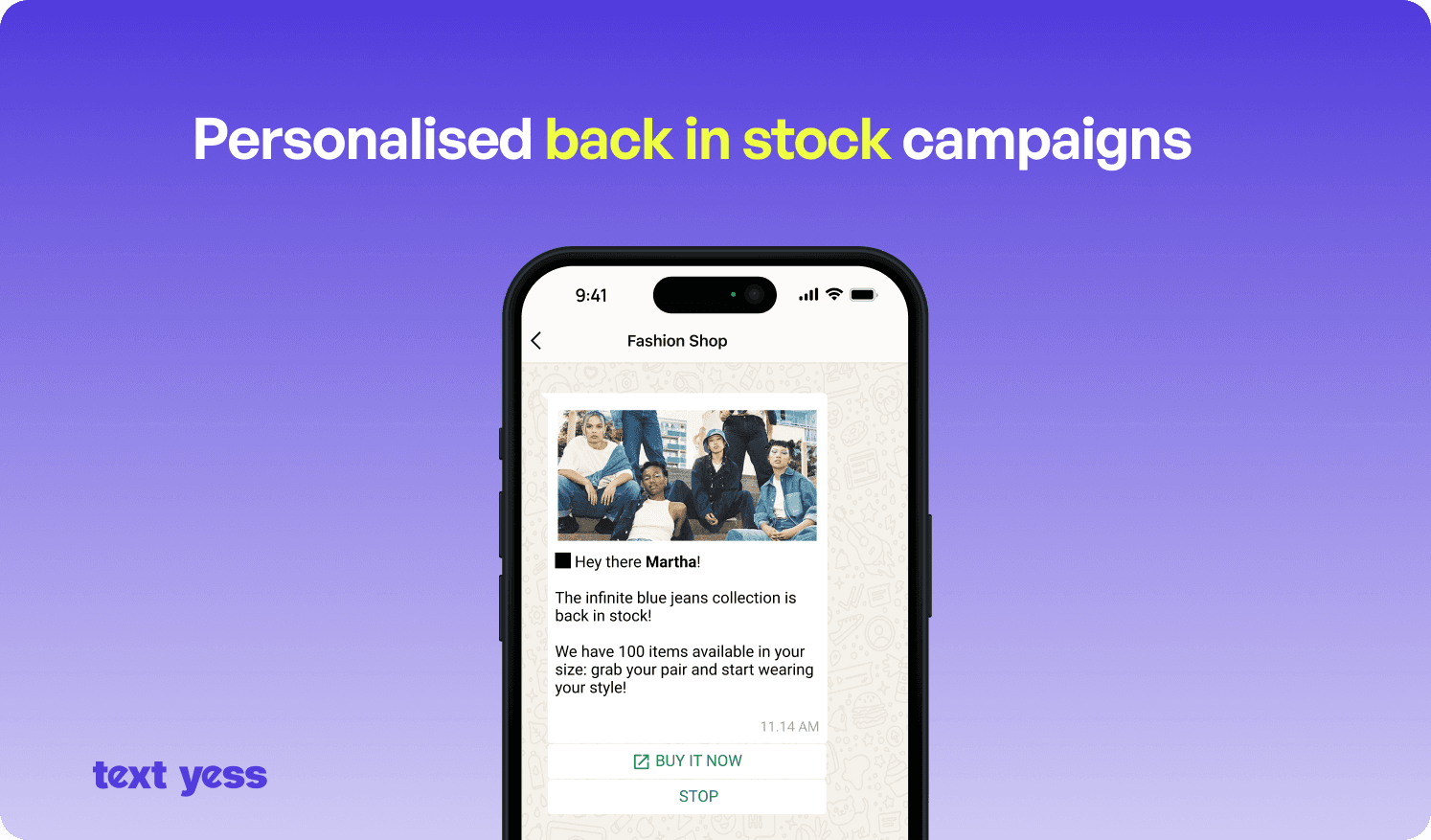
Notifying customers when new products launch, especially targeting those who previously bought from the same category, creates relevance. The combination of image, description, and direct link creates a frictionless path to purchase.
Scheduled broadcasts around Black Friday, holidays, or summer sales perform best when segmented by purchase history, location, or language. A customer in Milan doesn't need the same message as one in Munich.
Re-engaging lapsed customers (60, 90, or 180 days since last purchase) with contextual messages works when the message references their last purchase or preferences and provides a compelling reason to return.
Automations differ from campaigns: they're trigger-based, set up once, and run continuously without manual intervention. For a deeper dive into building automated flows, see how to use WhatsApp automation to scale your ecommerce business and how to create automated WhatsApp sales funnels that convert.
Triggered on opt-in or first purchase, welcome messages introduce the brand and often include a first-purchase incentive or bestseller link.
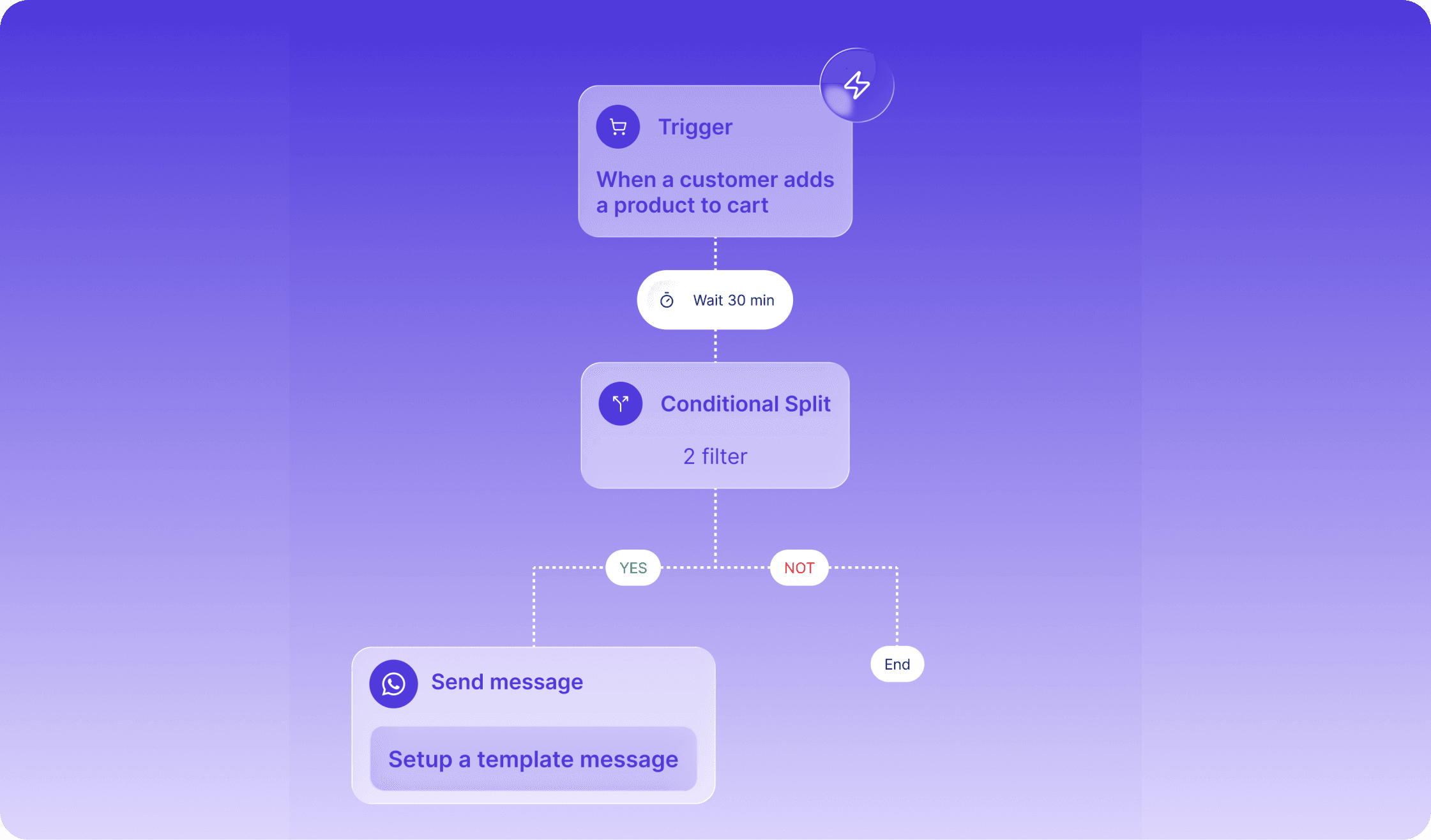
Triggered when a customer abandons checkout, cart recovery messages include the specific items left behind and a direct link back to cart. Follow-up messages can add an incentive if the first doesn't convert. Learn the full playbook for recovering abandoned carts on Shopify with WhatsApp — cart recovery via WhatsApp typically outperforms email because the message is seen within minutes rather than hours.
Triggered on or before a customer's birthday with a personalized message and time-limited gift or discount. Simple to set up, consistently effective.
Triggered by high-intent signals: repeated product views, add-to-cart without purchase. A timely, relevant message at this moment can move the customer toward conversion.
Following a few practices protects accounts and improves results.
Explicit consent is required. Every message works better with an easy opt-out option. Violating opt-in rules leads to account restrictions. Meta's WhatsApp Business Policy sets out the full requirements for compliant marketing.
Meta monitors quality based on user feedback. Too many blocks or reports lowers the rating and restricts sending. Keeping content relevant and respecting frequency preferences maintains a healthy rating.
Not every message works as a sales pitch. Mixing promotions with helpful content, tips, or exclusive information keeps customers subscribed longer.
Tracking the right metrics reveals whether the investment delivers returns.
Delivery rate: Percentage of messages successfully delivered
Open rate: Percentage of messages read
Click-through rate: Percentage who clicked a link or button
Conversion rate: Percentage who completed a purchase
Opt-out rate: Percentage who unsubscribed
Connecting WhatsApp conversations to placed orders proves ROI. Platforms like TextYess provide real-time ecommerce analytics showing revenue directly attributed to WhatsApp campaigns, making it clear which messages generate orders.
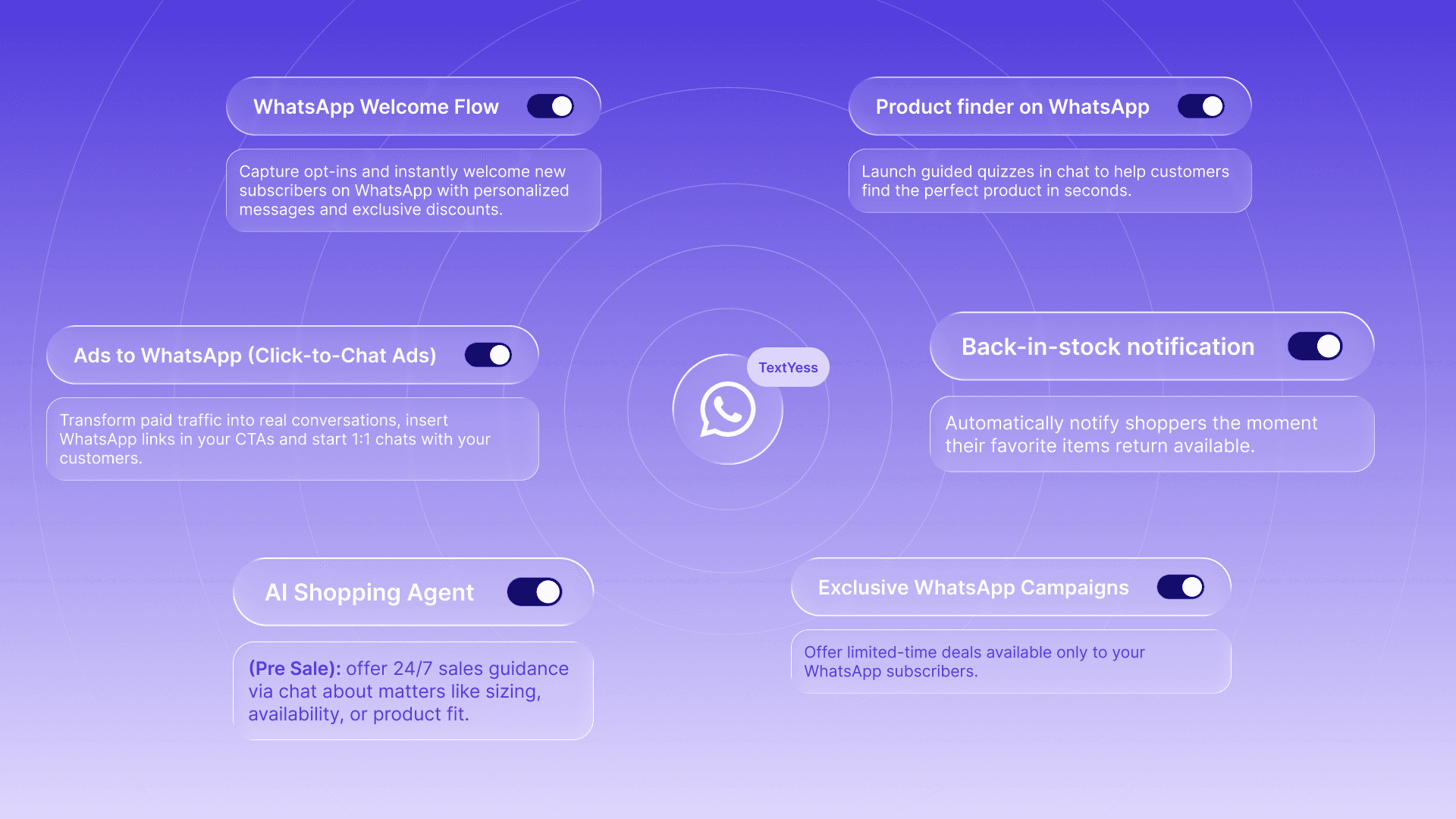
WhatsApp marketing campaigns work best when campaigns, automations, and an AI agent work together across the customer journey. Campaigns drive traffic and engagement. Automations capture revenue at key moments. An AI agent handles inbound questions and guides customers to purchase — see our comparison of the 8 best WhatsApp chatbots for ecommerce to understand what to look for.
TextYess provides all three layers in a single platform with no-code setup, connecting directly to ecommerce stacks and enabling multi-language conversations that feel local. Most brands go from setup to live campaigns in under 30 minutes.
How many WhatsApp marketing messages can I send per day?
What does a WhatsApp message request mean for ecommerce brands?
How long does WhatsApp Business API approval take?
Can I send WhatsApp campaigns in multiple languages?
How do I avoid getting my WhatsApp business number blocked?