How to Create Click to WhatsApp Ads That Actually Convert
Learn how to set up click to WhatsApp ads in Meta Ads Manager, drive higher conversion rates, and automate every chat into a sale
Learn how to set up click to WhatsApp ads in Meta Ads Manager, drive higher conversion rates, and automate every chat into a sale
A shopper sees an ad, taps once, and lands directly in a WhatsApp chat with the brand. No landing page, no form, no friction. That's the premise behind click to WhatsApp ads, and it's why this format is quietly outperforming traditional link ads for eCommerce brands.
This guide covers how to set up click to WhatsApp ads in Meta Ads Manager and the WhatsApp Business App, the creative and targeting strategies that drive conversions, and how to automate the post-click conversation so every chat has a chance to become a sale.
Click to WhatsApp ads let potential customers tap an ad on Facebook or Instagram and immediately open a WhatsApp chat with a business. Instead of landing on a form or product page, the user starts a direct conversation where they can ask questions and get answers in real time.
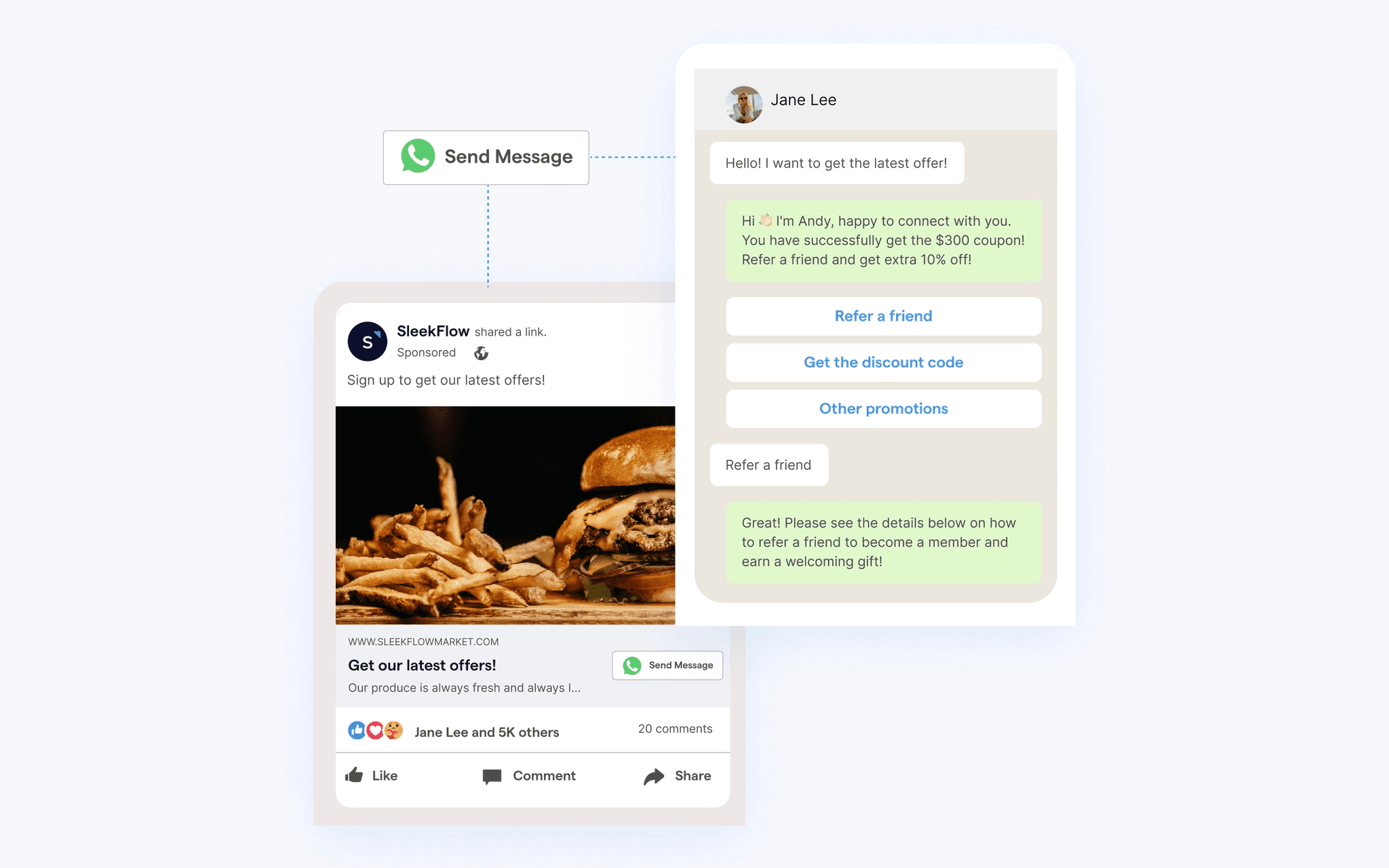
The format works through Meta Ads Manager and appears across Facebook, Instagram, and Messenger placements. What makes it different from standard link ads is the call-to-action button: "Send Message" or "Chat on WhatsApp." One tap opens the WhatsApp app with a pre-written message ready to send.
For eCommerce brands, the appeal is straightforward. Conversations convert better than landing pages because friction drops. The shopper goes from ad to dialogue in seconds, and that dialogue can lead directly to a sale.
The user journey is simple. A shopper scrolling through Facebook or Instagram sees an ad with a CTA button. When they tap it, WhatsApp opens directly on their phone.
A pre-filled message appears in the text field, something like "Hi, I'd like to know more about this product." The user can send it as-is or edit it before starting the conversation.
Ad placement: Feed, Stories, Reels, Marketplace, or Messenger
CTA button: "Send Message" or "Chat on WhatsApp"
App handoff: Tapping the CTA opens WhatsApp with a pre-written message
Once the user sends that first message, a 24-hour messaging window opens. During this window, the business can respond with free-form messages: product details, images, links, or anything relevant.
After 24 hours without a new message from the user, the window closes. From that point, only approved message templates (pre-approved by Meta) can be sent. Capturing intent quickly matters because of this time limit.
Traditional ads send users to a landing page where they might bounce, get distracted, or abandon a form. Click to WhatsApp ads skip that step. The user lands in a conversation, which tends to hold attention better than a static page.
Conversations convert. When a shopper can ask "Does this come in blue?" and get an instant answer, the hesitation that causes cart abandonment disappears. There's no form to fill out, no page to load, no waiting for an email reply.
Every user who messages becomes a contactable lead. Unlike website visitors who leave without a trace, WhatsApp contacts can be re-engaged with future campaigns: product drops, seasonal sales, cart recovery messages. This builds a first-party data asset that compounds over time.
The same WhatsApp channel supports discovery (product questions), purchase (checkout guidance), and post-sale (order updates, re-engagement). One conversation can span the entire customer lifecycle.
Before creating a campaign, a few pieces need to be in place.
Requirement | Description |
|---|---|
WhatsApp Business Account | Either the free WhatsApp Business App or the WhatsApp Business API for scale |
Meta Business Manager | Required to manage ad accounts and link WhatsApp |
Connected Facebook Page | The WhatsApp number must be linked to a Facebook Page |
Two options exist. The WhatsApp Business App is free and works for small businesses handling conversations manually. The WhatsApp Business API is designed for scale and enables automation, AI agents, and integrations with platforms like TextYess.
Both can run click to WhatsApp ads, but the API unlocks the ability to automate responses and handle high volumes.
Campaigns are created in Meta Ads Manager, which requires a Business Manager account. This is where ad spend is managed and where the WhatsApp number gets linked.
The WhatsApp Business number must be connected to a Facebook Page. This happens in Page Settings under "WhatsApp." Without this connection, the ad format won't be available.
In Ads Manager, click + Create and select an objective. The supported options for click to WhatsApp ads are Traffic, Engagement, or Leads. For conversation-focused goals, Engagement or Leads typically work best.
Define the target audience: location, demographics, interests, and behaviors. Advantage+ placements work well for most campaigns, though manual selection allows control over Facebook, Instagram, and Messenger specifically. Set a daily or lifetime budget based on testing goals.
This is the critical setting. Under Conversion Location, choose "Messaging Apps" and then select WhatsApp. This is what turns a standard ad into a click to WhatsApp ad.
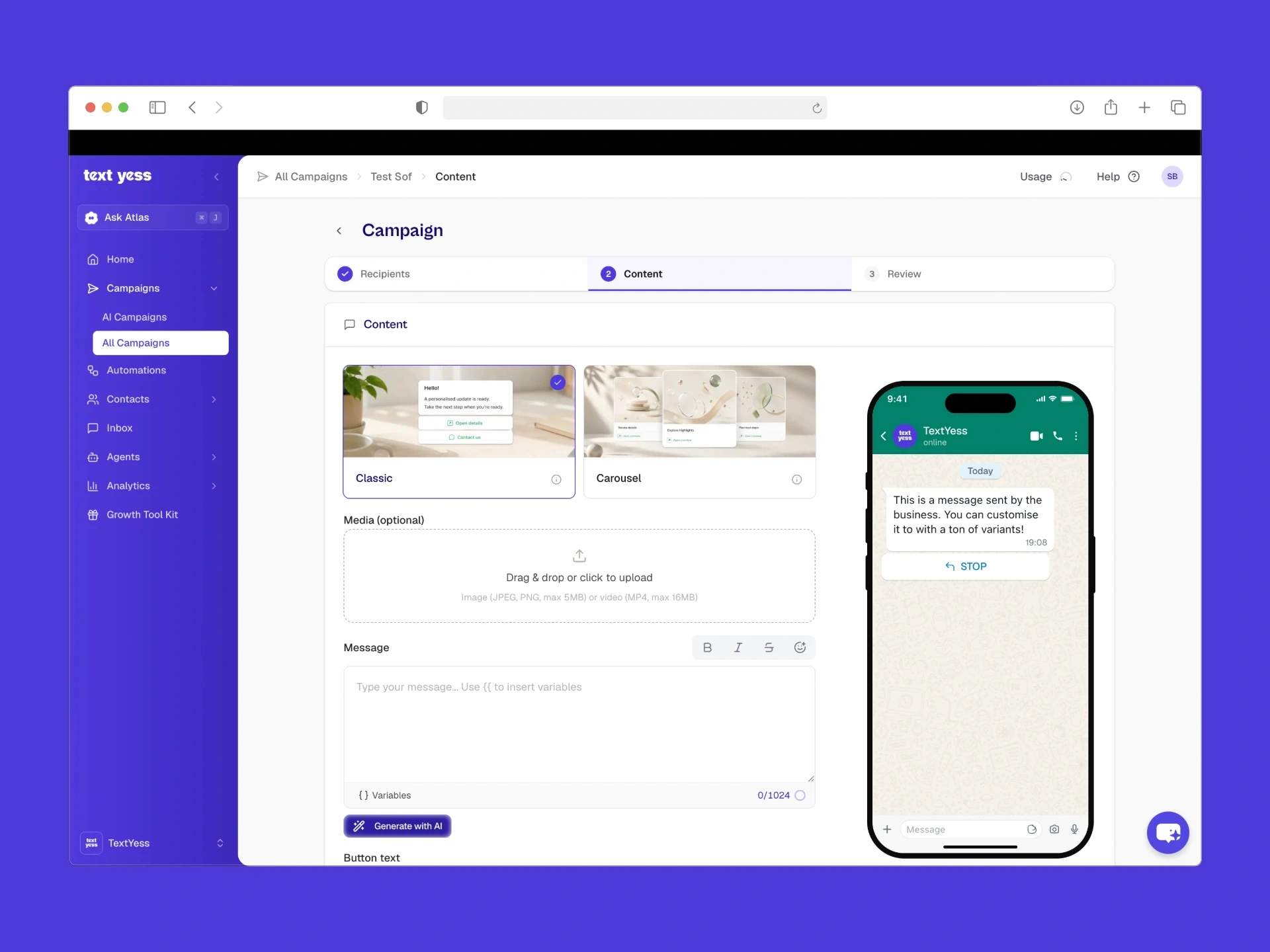
Upload the ad creative: image, video, or carousel. The visual works best when it signals that clicking opens a chat (chat bubbles, phone screens, or conversational imagery).
Then add the pre-filled message. This is the text that appears in the user's WhatsApp when they click. Something like "Hi, I'm interested in [Product Name]" makes the first reply effortless.
Double-check that the correct WhatsApp number is selected. Preview the ad to see how it will appear. Then publish. Meta reviews ads before they go live, which typically takes a few hours.
The ad creative sets expectations. Imagery that suggests conversation (chat bubbles, phone screens, people messaging) prepares the user for what happens after the click. Generic product shots that look like traditional ads tend to underperform.
Ad copy that prompts engagement converts better than one-way promotional language. "Have a question? Message us." or "Not sure which size? Let's chat." invites the user into a dialogue rather than pushing a sale.
The CTA button options are "Send Message" or "Chat on WhatsApp." Matching the CTA to the ad copy promise reduces confusion. If the copy says "Ask us anything," the CTA reinforces that.
The pre-filled message removes friction. Instead of making the user type something, give them a starting point:
"Hi, I'm interested in [Product Name]"
"Can you help me find the right size?"
"I saw your ad and have a question"
Testing different pre-filled messages often reveals which prompts generate higher response rates.
High-intent users are those who visited product pages, added items to cart, or engaged with previous ads. Creating audiences in Meta Ads Manager using pixel data or custom audiences allows targeting users already familiar with the brand.
Lookalike audiences let Meta find users similar to existing customers. Building lookalikes from purchasers or engaged WhatsApp contacts tends to produce higher-quality leads than broad interest targeting.
Users who clicked a previous ad and started a WhatsApp conversation but didn't purchase are a high-intent segment. Creating a retargeting audience for this group allows follow-up ads with adjusted messaging or offers.
Top of funnel: Broad interests, lookalikes
Middle of funnel: Engaged users, site visitors
Bottom of funnel: Cart abandoners, past purchasers for upsell
The ad is only the first step. What happens after the click determines whether the conversation converts.
An AI WhatsApp agent can respond immediately when a user messages, even at 2 AM. This eliminates the delay that causes drop-off. TextYess provides this capability, handling inbound conversations autonomously while escalating complex queries to human agents.
The AI agent can ask qualifying questions ("What's your skin type?" or "What size do you usually wear?") and surface relevant products based on the answers. This mirrors the in-store sales assistant experience.
Automation extends beyond the initial ad click. If a user doesn't complete checkout, an automated cart recovery message can re-engage them with the specific items they left behind. For buyers, order status updates keep the conversation active.
Not every conversation can be handled by AI. Complex queries, complaints, or high-value opportunities can be escalated to a human via a unified inbox. The AI handles volume; humans handle exceptions.
Cost per conversation started: How much each new WhatsApp lead costs
Response rate: Percentage of users who reply after opening the chat
Conversation-to-sale rate: Percentage of conversations that result in a purchase
Meta tracks ad clicks, but conversion happens in WhatsApp. Platforms like TextYess connect conversational data to order data, enabling full-funnel attribution from ad click to placed order.
Sending purchase events back to Meta (via Conversions API or offline conversions) improves ad optimization. The algorithm learns which users are most likely to buy, not just message.
A/B test different opening messages. One might prompt product questions; another might prompt discount inquiries. Measure which drives more conversions, not just more conversations.
Localized campaigns perform better. Create separate ad sets for different markets with native-language copy and region-specific offers.
Ad fatigue is real. The same audience seeing the same ad repeatedly leads to declining performance. Cycling creatives regularly keeps engagement high.
Personalized responses (using customer name, browsing history, or past purchases) increase conversion. AI agents can access CRM and order data to personalize at scale, which is a core capability of platforms like TextYess.
Every user who messages becomes a contactable subscriber. Use this list for broadcast campaigns: product drops, seasonal sales, retention. This turns ad spend into a long-term asset.
Click to WhatsApp ads generate conversations. Converting those conversations into revenue requires the right tools.
TextYess is an AI-first conversational platform built for eCommerce. It automates responses the moment a user messages, delivers personalized product recommendations, and attributes revenue directly to WhatsApp campaigns. The AI agent handles the volume; the unified inbox keeps humans in the loop for complex queries.
For brands running click to WhatsApp ads, TextYess closes the gap between ad click and placed order.
How much do click to WhatsApp ads cost?
Can click to WhatsApp ads run on Instagram and TikTok?
Do click to WhatsApp ads work for B2B brands?
How can a user opt out of receiving WhatsApp messages from a business?